# VPN Client for teachers and researchers - iOS

<p class="callout warning">To use this service you need a @deec.uc.pt account!</p>

#### OpenVPN Installation, Configuration and Execution Manual on iOS

<div id="bkmrk-introdution%3A"><div><div>**Introdution:**  
</div></div></div>This document will present, step by step, the installation, configuration and execution of OpenVPN on the iOS operating system.

**Preparation:**

Before starting the installation and configuration of OpenVPN on your iPhone, you should check the following point:

<div id="bkmrk-have-an-account-for-"><div>- Have an account for configuring the VPN, which is requested at the Computer Network Management office.

</div></div>**Installation:**

To download OpenVPN just go to the AppStore and download the following application “*[OpenVPN Connect](https://itunes.apple.com/pt/app/openvpn-connect/id590379981?mt=8 "https://itunes.apple.com/pt/app/openvpn-connect/id590379981?mt=8")*”.

![](https://helpdesk.deec.uc.pt/api/v1/attachments/1571)

![](https://helpdesk.deec.uc.pt/api/v1/attachments/1572)

![](https://helpdesk.deec.uc.pt/api/v1/attachments/1573)

**Configuation:**

For your configuration, you must download the [DEEC.ovpn](https://informatica.deec.uc.pt/wp-content/uploads/2019/03/DEEC-Openvpn.zip "https://informatica.deec.uc.pt/wp-content/uploads/2019/03/DEEC-Openvpn.zip"). Then, open the application, select the “OVPN Profile” option and accept the policies.

![](https://helpdesk.deec.uc.pt/api/v1/attachments/1574)

![](https://helpdesk.deec.uc.pt/api/v1/attachments/1575)

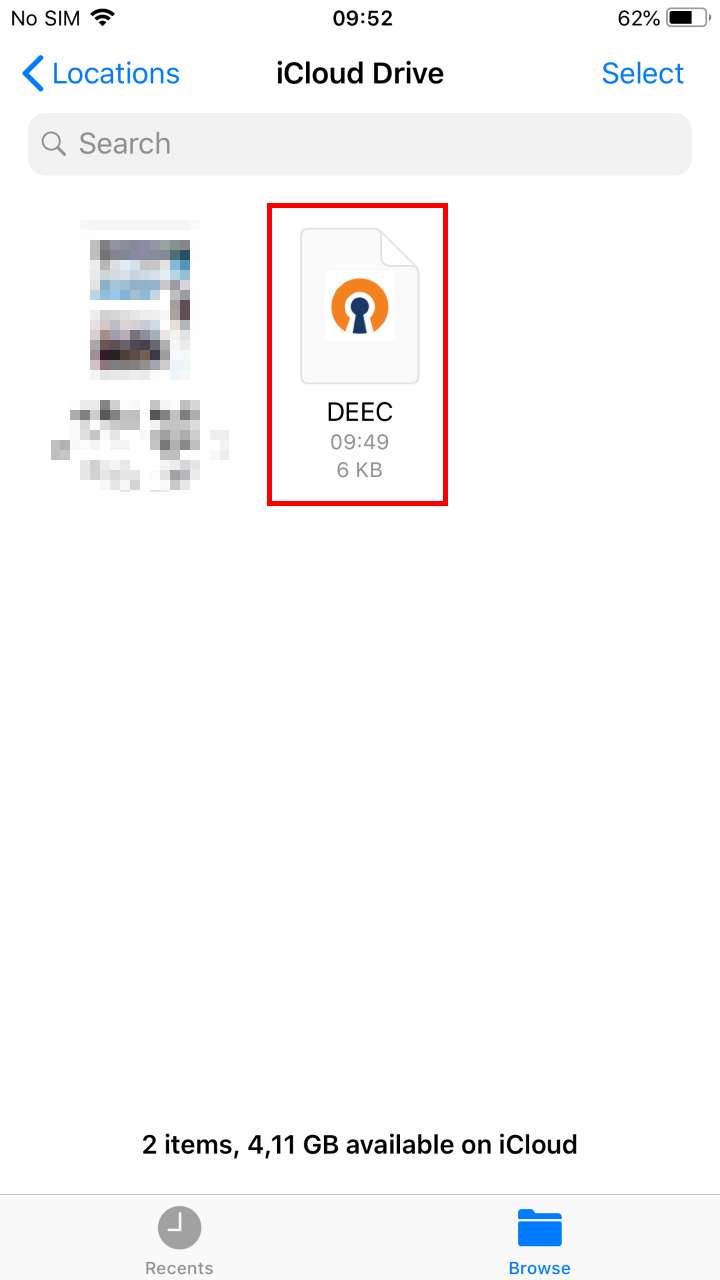
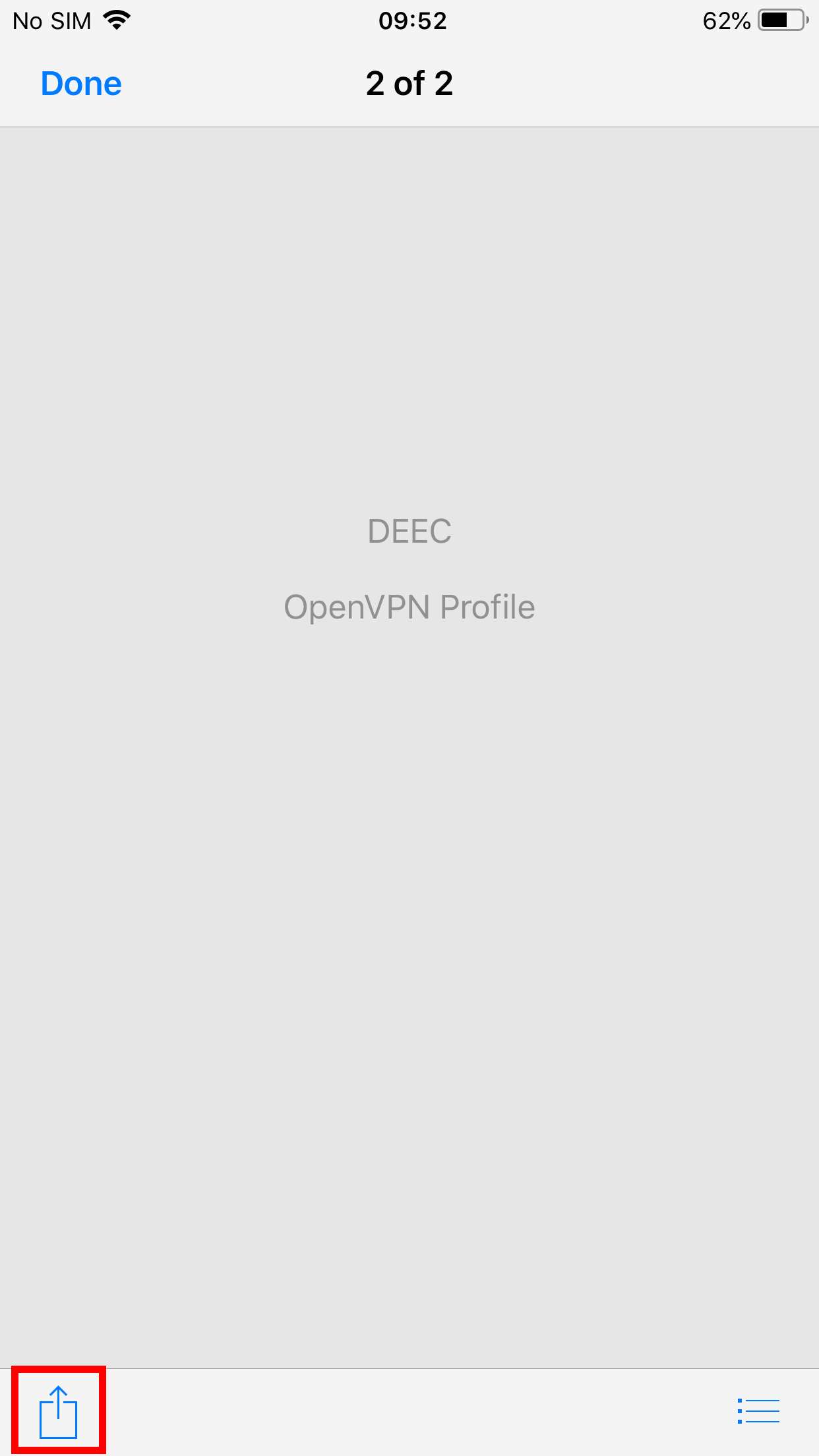
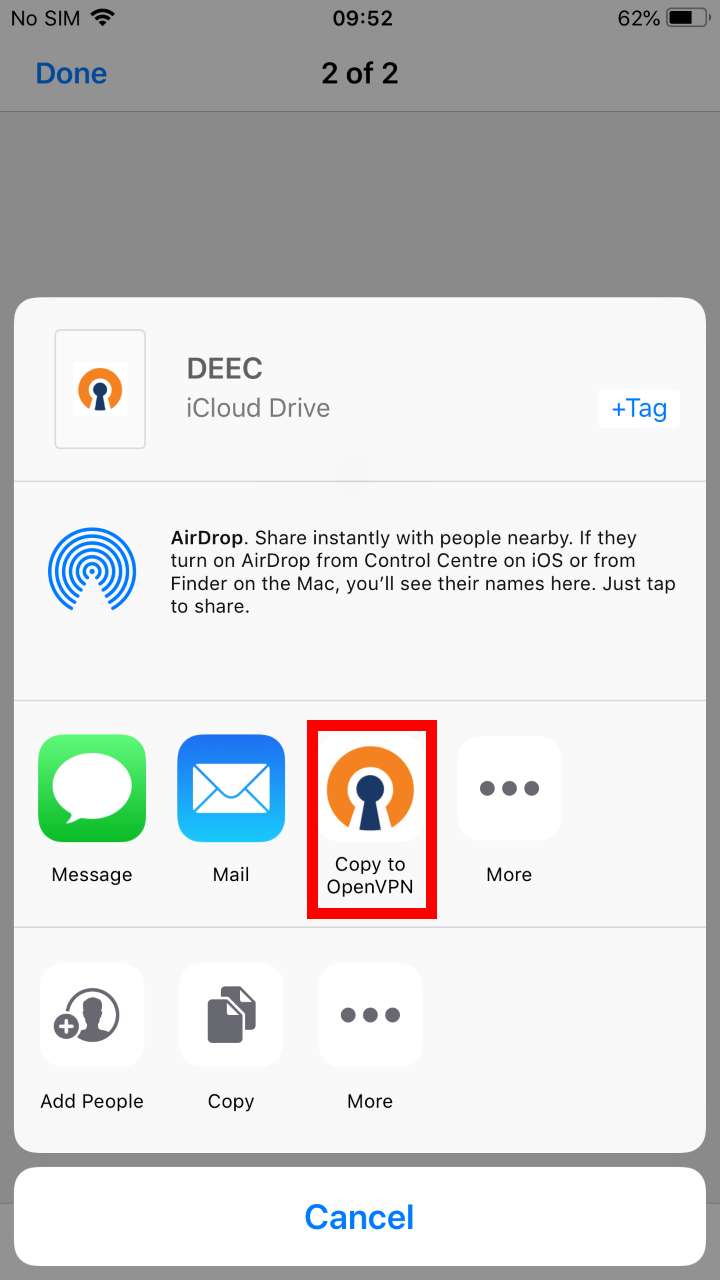
<div id="bkmrk-to-add-the-ovpn-file"><div>To add the ovpn file, just open the Files application, go to the downloaded file's directory and open it with OpenVPN.</div></div><div id="bkmrk--7">  
</div><div id="bkmrk--8">![](https://helpdesk.deec.uc.pt/api/v1/attachments/1576)</div><div id="bkmrk--9">  
</div><div id="bkmrk--10">![](https://helpdesk.deec.uc.pt/api/v1/attachments/1577)  
</div><div id="bkmrk--11">  
</div><div id="bkmrk--12">![](https://helpdesk.deec.uc.pt/api/v1/attachments/1578)  
</div><div id="bkmrk--13">  
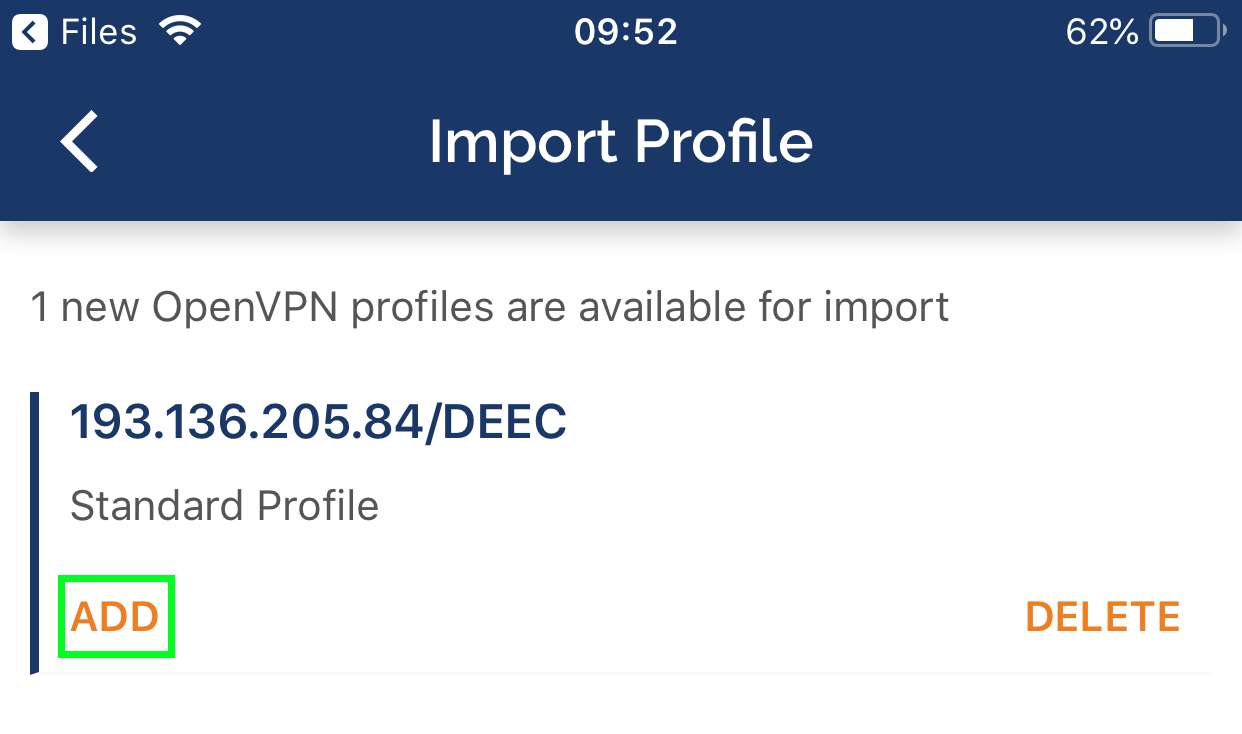
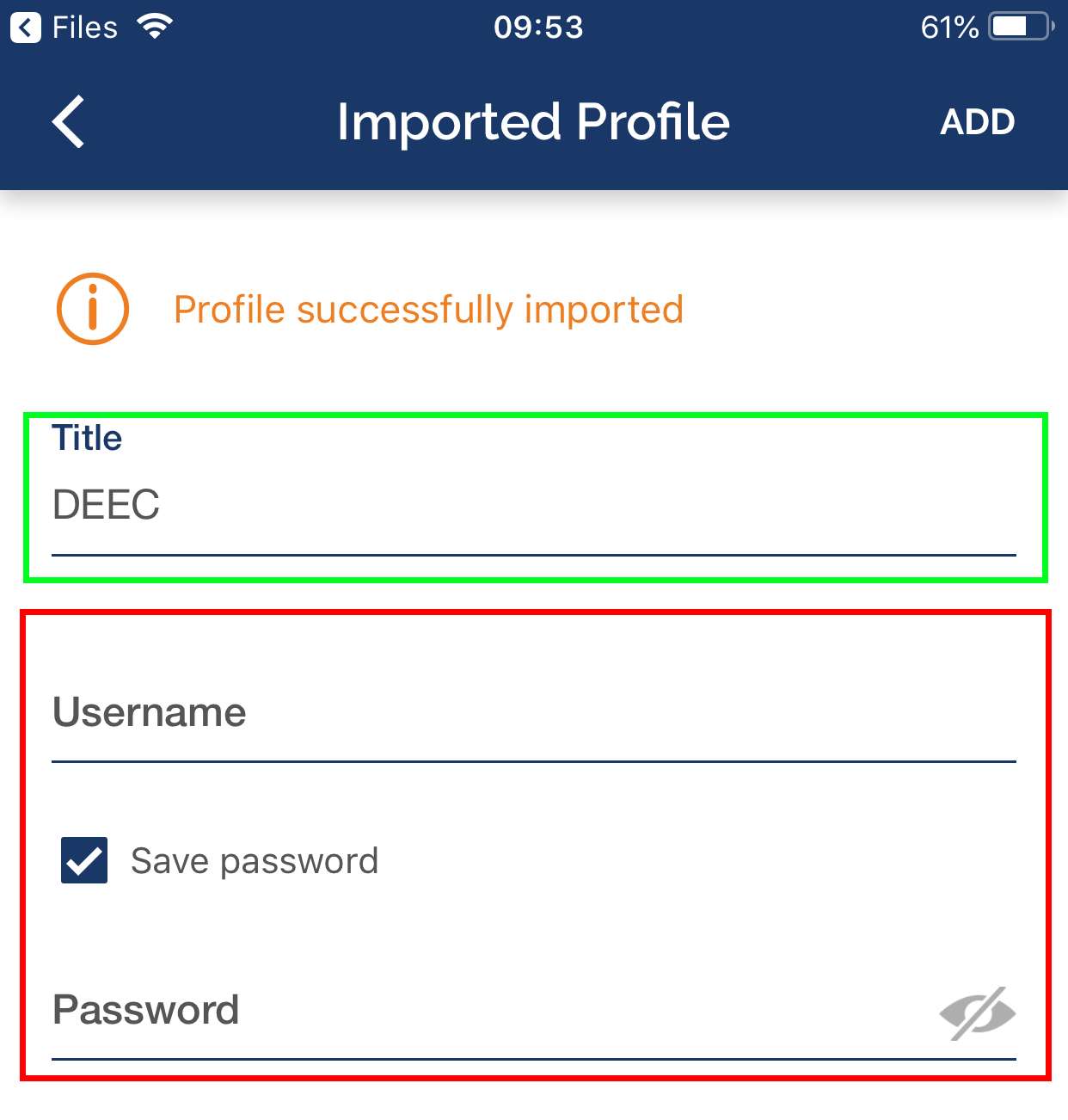
</div><div id="bkmrk--14"></div><div id="bkmrk-execution%3A"><div>**Execution:**</div></div><div id="bkmrk-finally%2C-select-%E2%80%9Cadd"><div>Finally, select “ADD” and enter the credentials and select “ADD” again. If you want, you can change the Title to an easier name to identify to the DEEC VPN.</div></div><div id="bkmrk--15">  
</div><div id="bkmrk--16">![](https://helpdesk.deec.uc.pt/api/v1/attachments/1579)  
</div><div id="bkmrk--17">  
</div><div id="bkmrk--18">![](https://helpdesk.deec.uc.pt/api/v1/attachments/1580)</div>