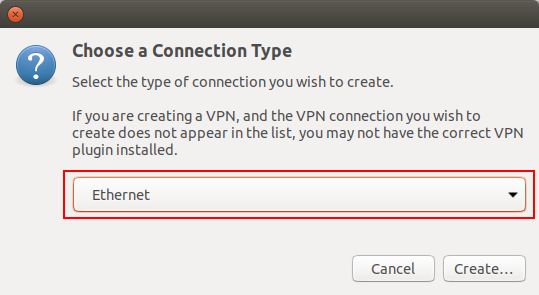
# Manual de instalação OpenVPN Ubuntu

### **Instalação:**

Para utilizar o *OpenVPN* basta executar o seguinte comando “**$ sudo apt-get install network-manager-openvpn-gnome**”.
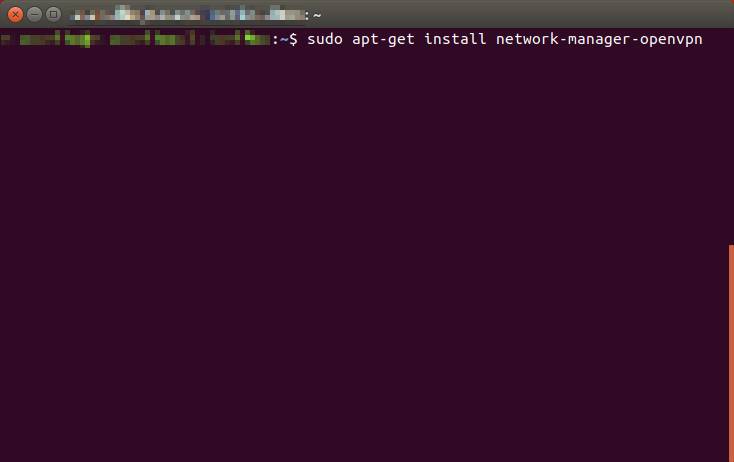
![](https://helpdesk.deec.uc.pt/api/v1/attachments/299)

Quando a instalação terminar, reinicie o serviço **network-manager.**
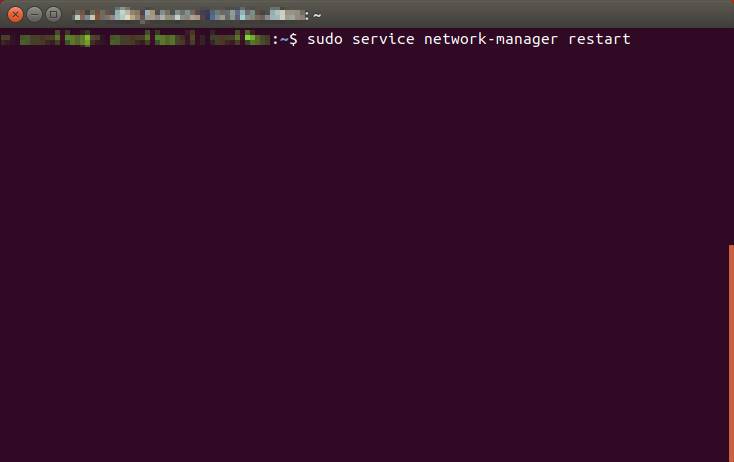
![](https://helpdesk.deec.uc.pt/api/v1/attachments/300)

<div class="knowledge-base-article-content richtext-content js-answer-body" id="bkmrk-configura%C3%A7%C3%A3o%3A"><div class="knowledge-base-article-content richtext-content js-answer-body"><div>**Configuração:**  
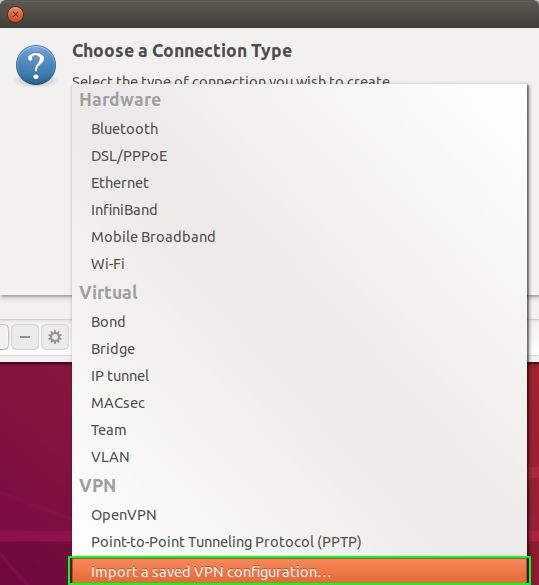
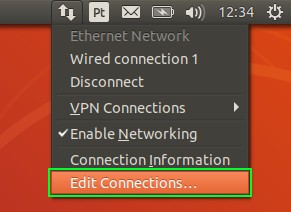
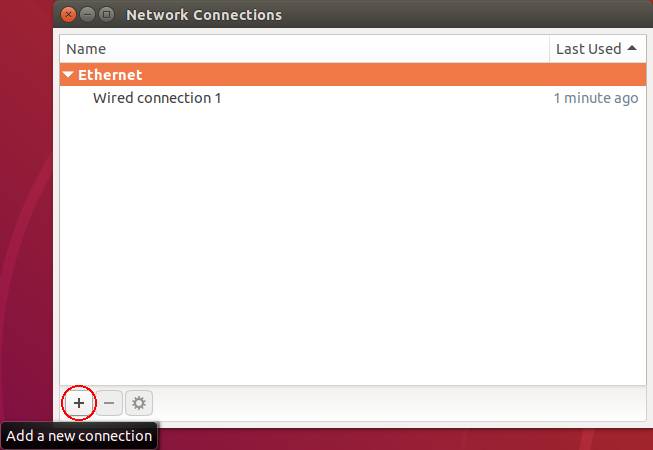
</div></div></div>Para a sua configuração, deverá baixar o ficheiro [ISR.ovpn](https://kb.deec.uc.pt/attachments/41). Com o rato ir ao ícone do *network manager* ir a “***Edit Connections …***”, depois “***Add a new connection***” e criar uma conexão com “***Import a saved VPN configuration…***”.
![](https://helpdesk.deec.uc.pt/api/v1/attachments/301)

![](https://helpdesk.deec.uc.pt/api/v1/attachments/302)

![](https://helpdesk.deec.uc.pt/api/v1/attachments/303)

![](https://helpdesk.deec.uc.pt/api/v1/attachments/304)

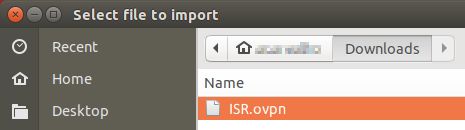
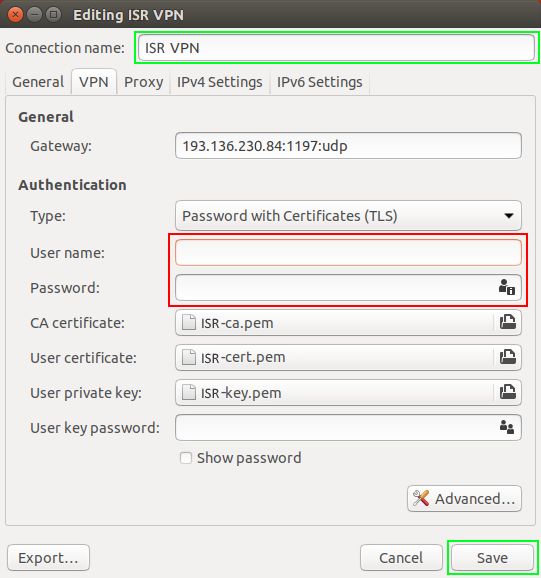
Seguidamente, selecione o ficheiro ISR*.ovpn* e digite as credencias do ISR. Se quiser, poderá alterar o ***Connection name*** para um nome mais fácil de identificar a VPN do ISR.
![](https://helpdesk.deec.uc.pt/api/v1/attachments/305)

![](https://helpdesk.deec.uc.pt/api/v1/attachments/306)

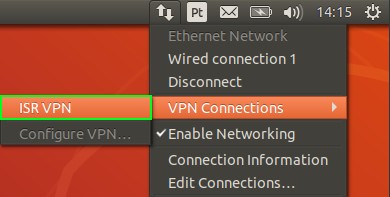
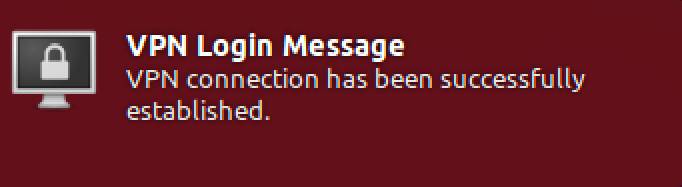
<div class="knowledge-base-article-content richtext-content js-answer-body" id="bkmrk-execu%C3%A7%C3%A3o%3A"><div class="knowledge-base-article-content richtext-content js-answer-body"><div>**Execução:**</div></div></div>Por fim selecione o ícone do ***network manager***, ir a ***VPN Connections*** e selecionar a *VPN* criada.
![](https://helpdesk.deec.uc.pt/api/v1/attachments/307)

![](https://helpdesk.deec.uc.pt/api/v1/attachments/308)