VPN Client for teachers and researchers - Ubuntu
To use this service you need a @deec.uc.pt account!
Installation
To useInstall OpenVPN justnetwork runmanager by entering (copy/paste) into the following command:terminal
sudo apt-get install network-manager-openvpn-gnomeWhen the installation is complete, restart the network-manager service.service
systemctl
Configuration
ForDownload yourthe configuration,OpenVPN you must downloadprofile: DEEC.ovpn.
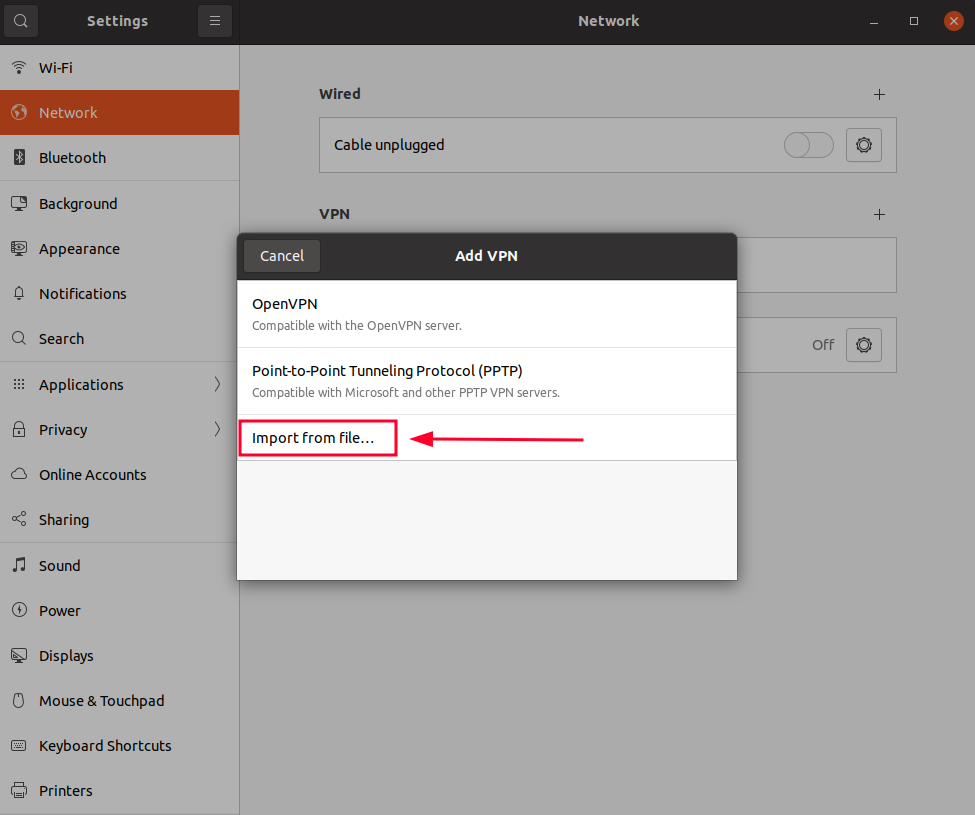
Go to the networkNetwork manager icon to go to “Edit Connections …”, then “Add a new connection”Manager and createunder aVPN, connectionclick withthe “Import"+" a saved VPN configuration…”.
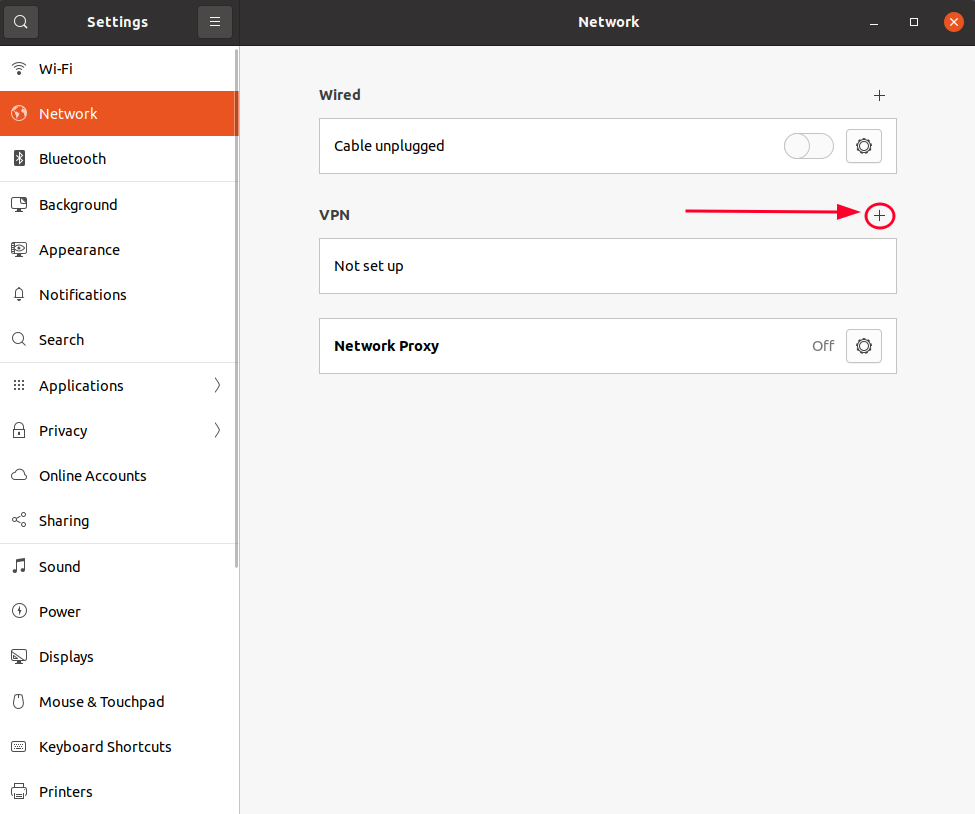
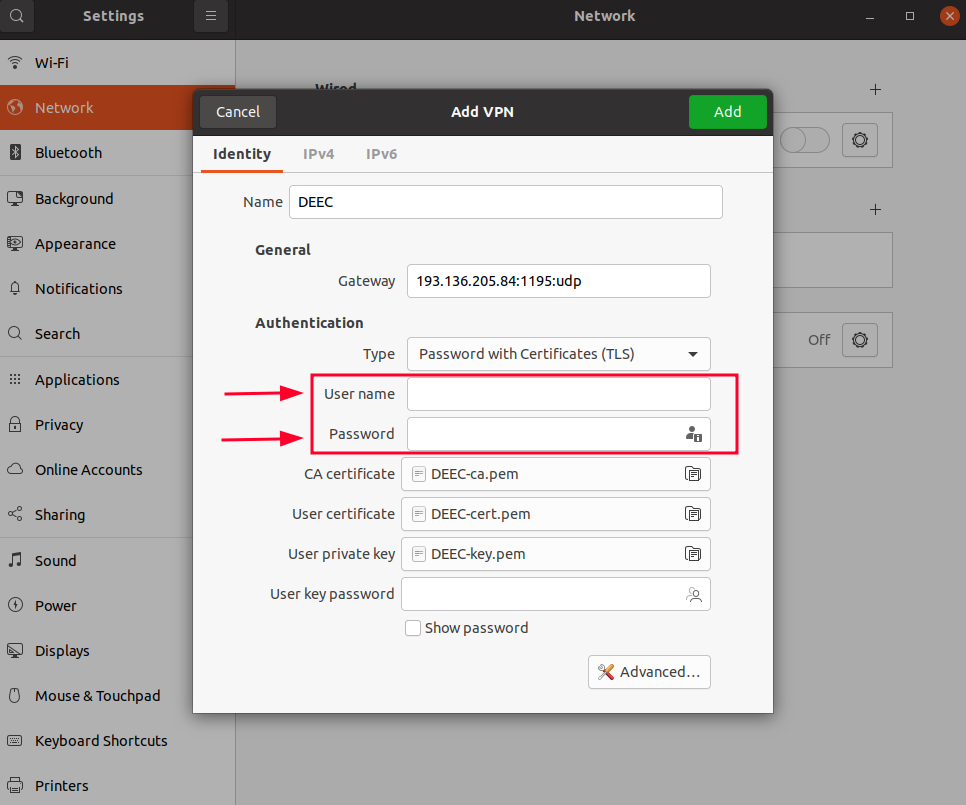
Thenfile..." and select the DEEC..ovpn file andI've enter the DEEC credentials. If you want, you can change the Connection name to an easier name to identify the DEEC VPN.
downloaded
Input your credentials and click "Add"
Connection
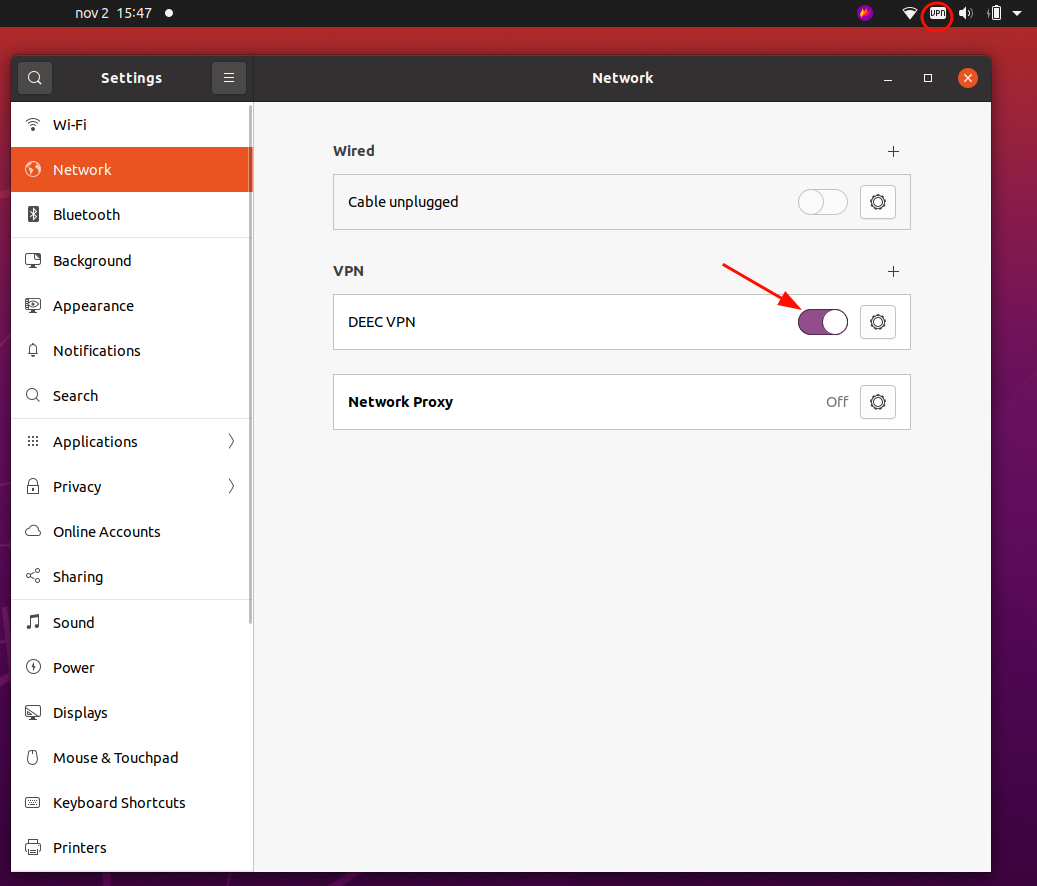
Finally select the network manager icon, go to VPN Connections and select the created VPN.