
Primeiro Programa
O...
/*
  códigoBlinkRGB

  demonstraDemonstrates comousage controlarof oonboard RGB LED on some ESP dev boards.

  Calling digitalWrite(RGB_BUILTIN, HIGH) will use hidden RGB numadriver.

  placaRGBLedWrite dedemonstrates desenvolvimentocontrol ESP32-C6.of Especificamente,each ochannel:
  códigovoid deneopixelWrite(uint8_t exemplopin, mostrauint8_t comored_val, criaruint8_t umgreen_val, efeitouint8_t dinâmicoblue_val)

  deWARNING: mudançaAfter deusing cor,digitalWrite fazendoto umdrive ciclo através de diferentes cores noRGB LED RGBit dawill placa.be Esteimpossible exemploto servedrive comothe umasame ilustraçãopin
    práticawith denormal comoHIGH/LOW aproveitarlevel
as*/
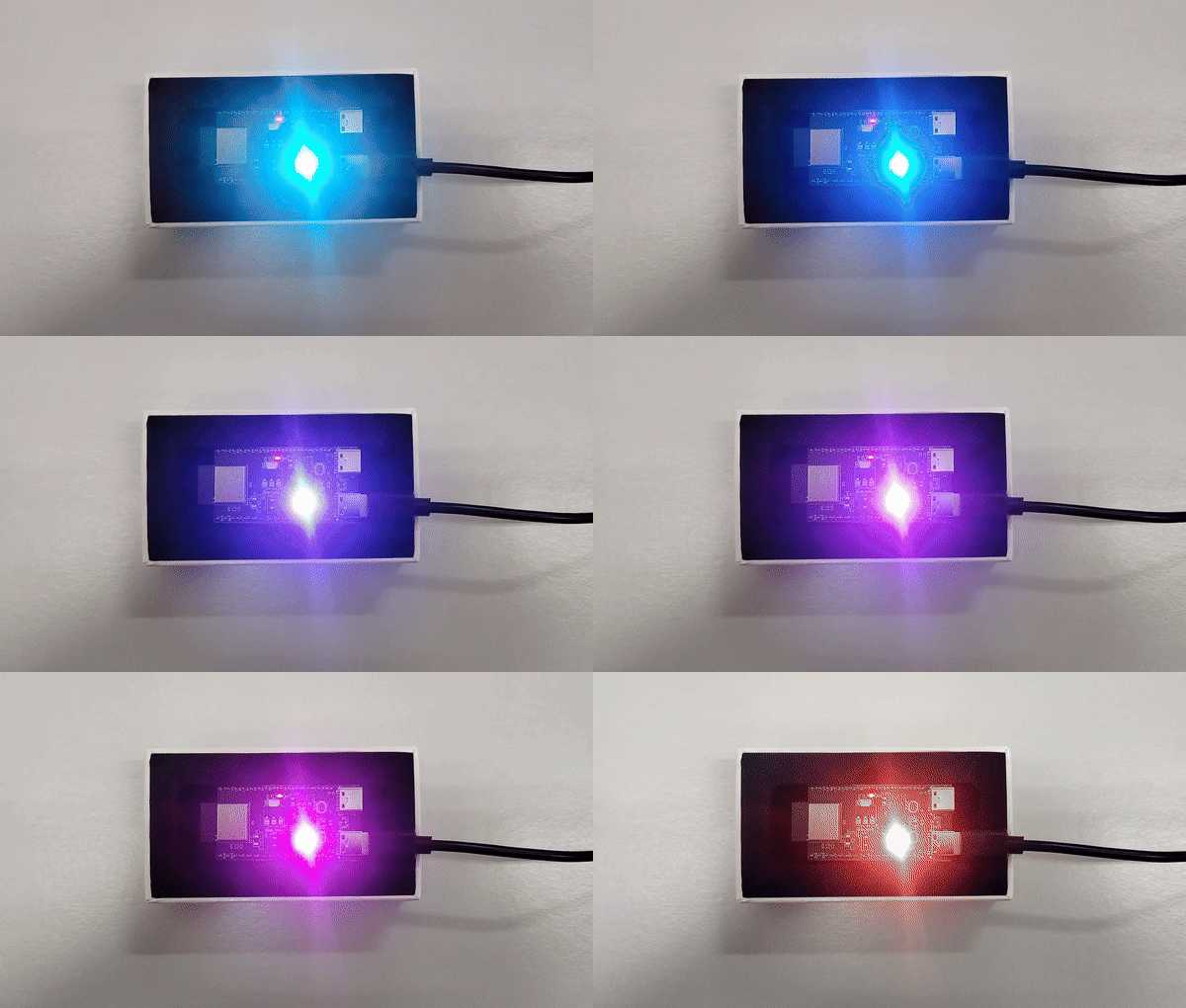
capacidades//#define doRGB_BRIGHTNESS ESP32-C6 para produzir padrões de luz visualmente atraentes. Ao executar este código, os utilizadores podem observar como o LED RGB transita suavemente por um espectro de cores, tornando-o uma referência útil para desenvolver efeitos semelhantes baseados em luz em outros projetos.


Adafruit NeoPixel#include <Adafruit_NeoPixel.h>
#include <cmath>64 // PinChange andwhite LEDbrightness configuration(max constexpr uint8_t LED_PIN = 8;
constexpr uint8_t NUM_LEDS = 1;255)
// NeoPixelthe objectsetup Adafruit_NeoPixelfunction rgbLed(NUM_LEDS,runs LED_PIN,once NEO_GRBwhen +you NEO_KHZ800);press //reset Coloror structurepower structthe RGB {
uint8_t r, g, b;
};board
void setup() {
rgbLed.begin(); // InitializeNo need to initialize the RGB LED
rgbLed.show(); // Turn off the LED (as it's initialized to all 0s)
}
void setColor(const RGB& color) {
rgbLed.setPixelColor(0, rgbLed.Color(color.r, color.g, color.b));
rgbLed.show();
}
// Convertthe HSVloop tofunction RGBruns RGBover hsvToRgb(floatand h,over floatagain s, float v) {
float c = v * s;
float x = c * (1 - std::abs(std::fmod(h / 60.0, 2) - 1));
float m = v - c;
float r, g, b;
if (h >= 0 && h < 60) {
r = c, g = x, b = 0;
} else if (h >= 60 && h < 120) {
r = x, g = c, b = 0;
} else if (h >= 120 && h < 180) {
r = 0, g = c, b = x;
} else if (h >= 180 && h < 240) {
r = 0, g = x, b = c;
} else if (h >= 240 && h < 300) {
r = x, g = 0, b = c;
} else {
r = c, g = 0, b = x;
}
return {
static_cast<uint8_t>((r + m) * 255),
static_cast<uint8_t>((g + m) * 255),
static_cast<uint8_t>((b + m) * 255)
};
}forever
void loop() {
constexprdigitalWrite(RGB_BUILTIN, unsigned long CYCLE_DURATION = 10000; // 10 seconds for a full color cycle
constexpr unsigned long STEPS = 1000; // Number of steps in the cycle
unsigned long startTime = millis();
unsigned long currentTime;
while (true) {
currentTime = millis();
float progress = static_cast<float>((currentTime - startTime) % CYCLE_DURATION) / CYCLE_DURATION;
float hue = progress * 360.0f; // Hue ranges from 0 to 360
RGB color = hsvToRgb(hue, 1.0f, 1.0f)HIGH); // FullTurn saturationthe andRGB valueLED setColor(color)white
delay(1000);
delay(CYCLE_DURATIONdigitalWrite(RGB_BUILTIN, / STEPS)LOW); // SmallTurn delaythe forRGB smoothLED transitionoff
}delay(1000);
}

Referências
[1] H4Fide, "ESP32-C6-RGB-LED-Control," GitHub, repository, 2024. [Online]. Available: https://github.com/h4fide/ESP32-C6-RGB-LED-Control. [Accessed: 27-Aug-2024].